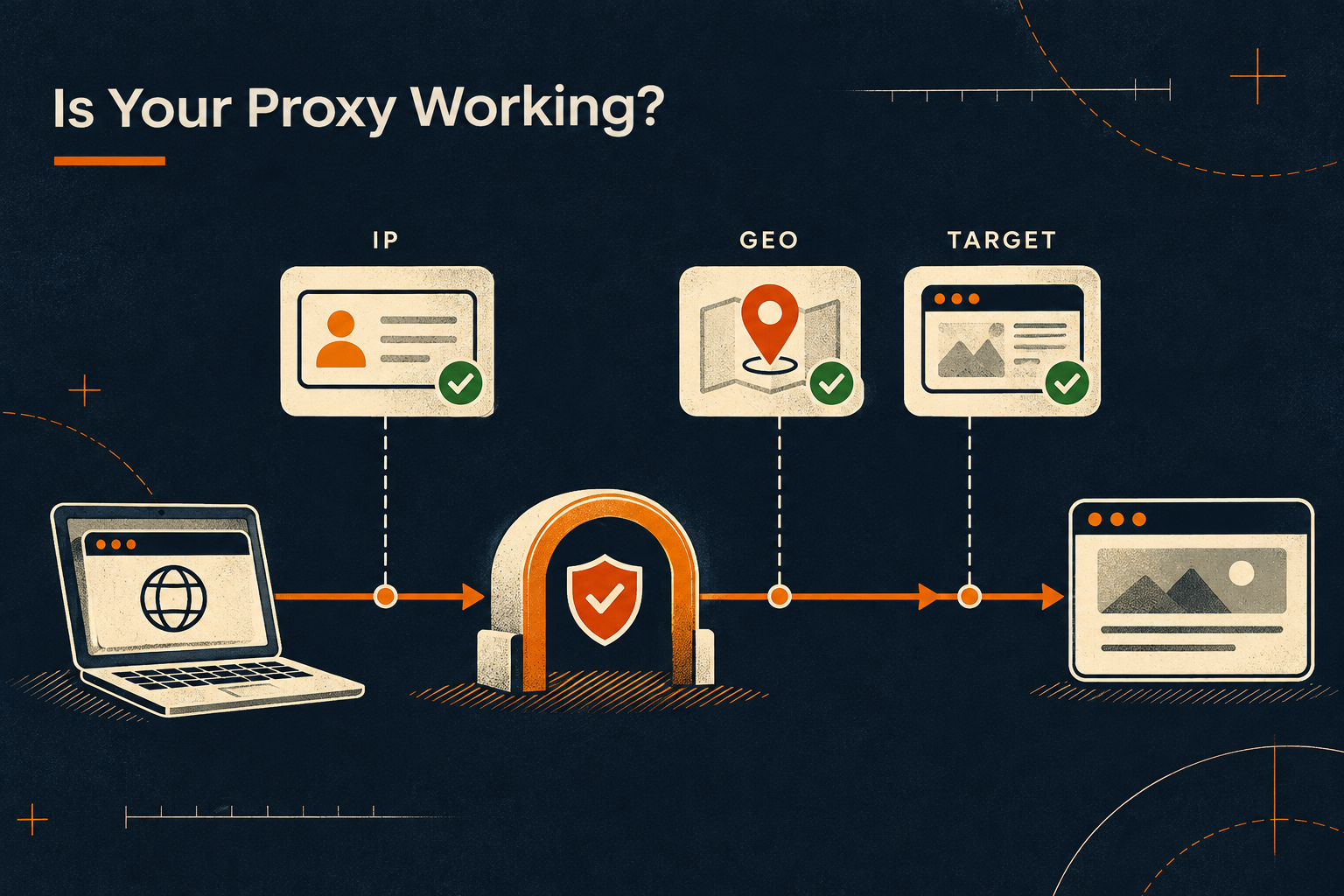
A proxy is not proven usable just because an IP checker shows a different address. A practical test must show that the proxy connection works, the intended exit identity is visible, and your permitted target returns usable content over time. This guide gives you a short cURL baseline, a result-reading matrix, and a repeatable pilot for a real workload.
The examples use an HTTP proxy and an HTTPS destination. Replace the placeholders with your own endpoint and credentials; use only sites you are authorized to access. A successful test on a diagnostic service is not a promise that every target will accept the same route.
What does it mean for a proxy to pass?
| Layer | What to check | What a pass proves |
|---|---|---|
| Proxy connection | The client can reach and authenticate to the proxy endpoint. | The gateway is reachable; it says nothing about a destination. |
| Exit IP | A public IP service sees the expected proxy exit rather than your direct address. | The request used a different outbound address on this attempt. |
| Location | The observed exit broadly matches the requested country or region. | Geo targeting appears plausible; databases can disagree. |
| Target response | An authorized target returns the expected status and content, not just a challenge or login page. | This route works for that target and request at test time. |
| Continuity | Repeat with the intended session setting and check IP, content and failure rate. | The setup behaves as required during the measured window. |
Test these layers in order. It prevents a website 403 from being misdiagnosed as a dead gateway, and it prevents an IP-checker 200 from being mistaken for a production-ready workflow.
1. Compare your direct IP with the proxy exit
Run the first command without a proxy, then the second through your proxy. The `--noproxy '*'` baseline bypasses proxy settings; `--noproxy ''` prevents a `NO_PROXY` rule from silently bypassing the explicit proxy. An HTTPS IP echo service reports the address it sees. If the two addresses differ, the route changed for this request.
curl --noproxy '*' --connect-timeout 10 --max-time 30 -sS 'https://api.ipify.org?format=json'

curl --proxy 'http://HOST:PORT' --proxy-user 'USERNAME:PASSWORD' --noproxy '' \
  --connect-timeout 10 --max-time 30 -sS 'https://api.ipify.org?format=json'
Use `--proxy-user` only with placeholders in shared examples. Real credentials in shell history, process arguments, screenshots or CI logs can leak. For repeatable tests, load secrets from a protected local configuration or your secret manager. If your plan uses source-IP allowlisting instead of user/password, use the matching authentication method from your provider's instructions.
If the values match, first check whether a no-proxy environment rule, browser extension, application setting or routing layer bypassed the proxy. Also check IPv4 versus IPv6: compare like with like before calling the result a leak. If the request fails, record the curl exit status and error before changing the setup.
2. Check the exit location, with realistic expectations
Look up the observed exit IP in at least two reputable geolocation databases and compare the country or region with your selected location. These databases describe an IP allocation; they do not verify a device's physical position, and city-level records can be stale or inconsistent. For a location-sensitive application, also inspect the authorized target's own localized response, language, currency or available catalog. A matching geo database alone does not prove the target sees the same market.
3. Test the actual destination, not only the IP checker
Use an endpoint you are permitted to request. The example below measures an HTTPS request through an HTTP proxy and prints the proxy's CONNECT response separately from the final website response. Replace `https://example.com/` with the exact page or API route your workload needs. Do not add `--fail` here: you want to see 4xx and 5xx target statuses rather than hide them.
curl --proxy 'http://HOST:PORT' --proxy-user 'USERNAME:PASSWORD' --noproxy '' \
  --connect-timeout 10 --max-time 30 -sS -o /dev/null \
  --write-out 'proxy_connect=%{http_connect} target_http=%{response_code} total_s=%{time_total}\n' \
  'https://example.com/'
For an HTTPS target through an HTTP proxy, `proxy_connect=200` means the proxy established the tunnel; `target_http=403` means the destination refused the request after that tunnel was established. `target_http=200` is still only a transport-level success. Inspect the response body or a specific expected field before counting the result as valid; a challenge page or empty search result can also arrive with 200. If curl reports a connection or TLS error, inspect the command's nonzero exit status rather than treating `000` as an HTTP response.
`total_s` is one observation, not an objective speed rating. Compare the same target, request size, region, client environment and concurrency across repeated runs. Avoid disabling TLS verification merely to make a failing test appear green.
4. Repeat the test with the session mode you will actually use
For a sticky session or fixed ISP address, make several permitted requests using the same configured session identity. Record exit IP, target result and time at the start, middle and end of the required session window. A changed exit may be normal for a rotating plan, but it is a failure if your workflow requires the same address throughout a checkout or authenticated session. Plan-specific session limits and peer availability matter, so check your provider's documentation rather than assuming a universal duration.
5. Run a small, controlled workload pilot
After the smoke test, sample the exact URLs and response types your application uses. Hold target set, location, time window, client settings and concurrency constant when comparing plans. Respect the target's access rules and rate limits. For each attempt, log timestamp, target, proxy plan, exit IP, requested region, proxy CONNECT status when applicable, target status, content-valid flag, duration and bytes billed. Keep credentials and personal data out of logs.
| Metric | Definition | Why it matters |
|---|---|---|
| Valid-result rate | Responses with the expected content ÷ all attempted requests. | A 200-only success rate overstates usable output. |
| P95 elapsed time | 95th percentile of end-to-end request duration for the tested workload. | Shows the slow tail that average latency hides. |
| Session continuity | Share of required sessions that retained the expected exit and completed. | Critical for multi-step workflows. |
| Cost per valid result | Total attributable proxy cost ÷ validated results. | Connects billing to useful data instead of raw requests. |
Do not infer a universal winner from one target or one hour. Record sample size and test conditions beside the numbers. If the target changes behavior, rerun the same protocol before attributing the difference to proxy quality.
Read common outcomes correctly
| Observation | Likely next check |
|---|---|
| Cannot connect to proxy | Endpoint, port, local network and timeout; a successful ping alone is insufficient. |
| HTTP 407 | Proxy credentials, endpoint match or source-IP allowlist; see the dedicated 407 guide. |
| Exit IP unchanged | Bypass rules, client configuration, IPv4/IPv6 path, or an incorrect IP-check request. |
| CONNECT 200; target 403 | Destination permissions and request context; the proxy tunnel worked. |
| Target 200; wrong content | Validate body, localization, login/challenge state and extraction logic. |
| Exit changes mid-session | Rotation setting, session identifier, duration limit and peer availability. |
Apply the checklist to IP Fist
Use the exact endpoint, username format and session parameters shown in your dashboard and the IP Fist documentation. Its residential example shows a country parameter and a session identifier in the username; copy only the options that your plan supports. Begin with an IP echo request, then test the authorized target and required session length. If the gateway reports 407, use our 407 troubleshooting guide before measuring target performance.
Frequently asked questions
Does a changed IP prove the proxy is working?
It proves that this request exited through a different address. It does not prove the selected region, target access, content quality or session stability.
Can ping tell me whether a proxy works?
Ping can at most test an ICMP path to a host that responds to ICMP. It does not test proxy authentication, HTTP CONNECT, the exit IP or target response. Many gateways do not answer ping at all.
What if the target returns 200 but my scraper gets no data?
Inspect the body. You may have received a consent page, challenge, empty result, redirect destination or layout that your parser does not recognize. Define a content-valid check before measuring success.
Sources and test scope
The command options and `http_connect` interpretation follow the official curl manual. Product examples are drawn from IP Fist's public documentation. The commands are illustrative and were checked for option semantics; no live IP Fist account, target-specific benchmark or success-rate claim is implied. Test your own plan against your permitted targets.